Introduction
Designing a reliable KNX RF system starts with choosing the right device type for the right job. Many RF issues on site are not caused by the protocol, commissioning, or ETS—but by using the wrong RF device in the wrong place.
This article breaks down KNX RF device categories—switches, sensors, actuators, and gateways—explaining how they work, where they fit best, and what integrators should avoid. The goal is practical clarity, not a catalog list.
1. Why Device Type Matters More in RF
In wired KNX TP, power and communication are always available. In RF:
- Devices may be battery-powered
- Communication is event-driven
- Transmission time is limited by duty cycle
Because of this, device behavior is tightly linked to hardware type. A poor device choice can lead to:
- Short battery life
- Missed telegrams
- Unstable feedback
Understanding device roles prevents these problems before installation.
2. KNX RF Switches (User Input Devices)
KNX RF switches are the most common RF devices and the strongest use case for wireless KNX.
How They Work
- Send telegrams only on user action
- No continuous communication
- Extremely low power usage
Common Variants
- Energy-harvesting switches (battery-less)
- Battery-powered switches (coin cell)
- Hybrid RF/TP switches (RF front, TP backend)
Best Use Cases
- Retrofits and renovations
- Glass or stone walls
- Flexible scene control
Integrator Tips
- Energy-harvesting switches are ideal for lighting scenes
- Avoid mounting on metal surfaces
- Use RF Secure by default
Key takeaway:
If only one RF device is used in a project, it’s usually the switch—and that’s a good thing.
3. KNX RF Sensors (Environmental Inputs)
Sensors introduce more complexity than switches because they measure continuously, not just on demand.
Typical KNX RF Sensors
- Motion and presence detectors
- Temperature sensors
- Humidity sensors
- Window and door contacts
Communication Behavior
- Event-based (motion detected, contact changed)
- Sometimes cyclic (temperature updates)
Power Considerations
- Mostly battery-powered
- Battery life depends heavily on configuration
Best Use Cases
- Retrofit occupancy detection
- Window monitoring in renovations
- Supplemental sensing in hybrid systems
Common Mistakes
- Enabling too frequent cyclic transmissions
- Using RF sensors where wired sensors are easy to cable
- Expecting RF sensors to behave like TP sensors
Integrator rule:
RF sensors are excellent for state detection, not for high-frequency measurement.
4. KNX RF Actuators (Output Devices)
RF actuators are the most misunderstood KNX RF devices.
Typical RF Actuators
- Switching actuators
- Dimming actuators (limited power)
- Blind/shutter actuators (light loads)
How They Differ from TP Actuators
- Limited current handling
- Often require local mains power
- RF used only for control, not power
Where RF Actuators Make Sense
- Behind existing switch boxes
- Local load control in retrofits
- Small loads like lamps or fans
Where They Don’t
- High-current lighting circuits
- Central distribution boards
- Mission-critical control
Design warning:
Using RF actuators to replace a full TP actuator panel is one of the fastest ways to create an unstable system.
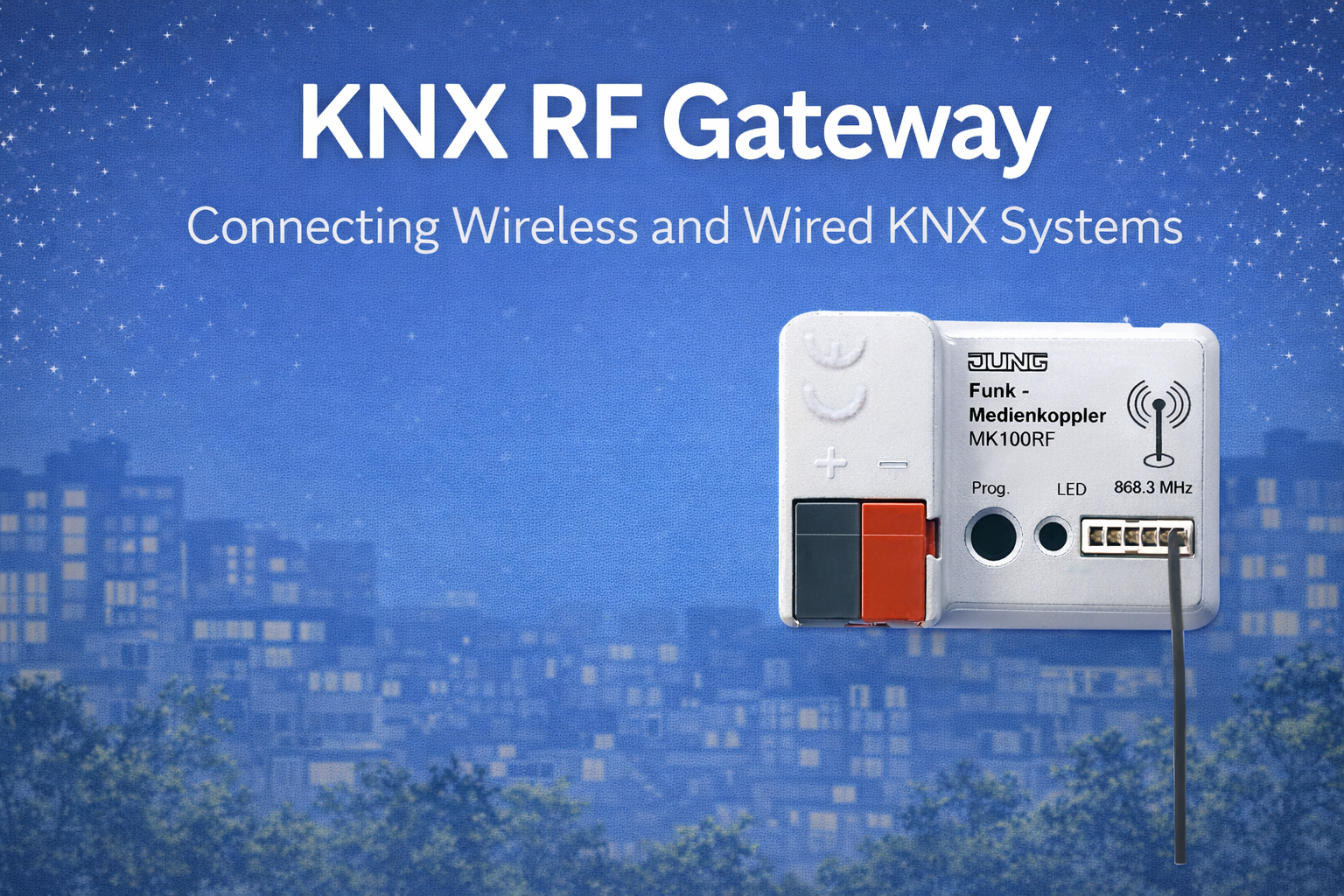
5. KNX RF Gateways (The Most Critical Device)
RF gateways are not optional accessories—they are the backbone of every KNX RF system.
What an RF Gateway Does
- Receives RF telegrams
- Converts them to standard KNX telegrams
- Forwards them to TP or IP
Why Gateways Matter So Much
- All RF devices depend on them
- Placement affects entire RF zone
- One bad gateway location = many failing devices
Best Practices
- Mount gateways outside metal cabinets
- Place centrally in RF coverage area
- Use multiple gateways for large buildings
RF gateways are designed and certified under standards maintained by the KNX Association, ensuring interoperability across manufacturers.
6. Battery vs Energy Harvesting – Choosing Wisely
Energy-Harvesting Devices
Pros
- No batteries
- No maintenance
- Long-term reliability
Cons
- Limited to user-input devices
- Slightly higher initial cost
Battery-Powered Devices
Pros
- Support sensors and actuators
- Flexible placement
Cons
- Maintenance required
- Battery life depends on configuration
Integrator strategy:
Use energy harvesting wherever possible. Use batteries only where measurement is required.
7. Feedback & Status Objects in RF Devices
One major difference between RF and TP devices is feedback strategy.
TP Devices
- Continuous power
- Frequent feedback acceptable
RF Devices
- Feedback increases power usage
- Excessive feedback shortens battery life
Best practice
- Enable feedback only where necessary
- Avoid cyclic status objects
- Prefer event-driven feedback
Many RF “problems” disappear when unnecessary feedback is removed.
8. RF Device Density & Scaling Limits
RF systems scale differently from TP.
What Limits RF Scaling
- Gateway capacity
- Duty cycle regulations
- RF collision probability
Practical Guidelines
- Avoid high device density per gateway
- Distribute RF zones logically
- Use TP for heavy actuation
RF is excellent for distributed inputs, not for dense output control.
9. Device Selection by Project Type
New Construction
- TP sensors and actuators
- RF switches for flexibility
Apartment Renovation
- RF switches and sensors
- TP actuators in accessible areas
Commercial Offices
- Mostly TP
- RF only where wiring is impossible
Heritage Buildings
- RF-dominant hybrid
- Minimal invasive work
10. Common Device Selection Mistakes
Seen repeatedly on projects:
- Using RF actuators for large loads
- Treating RF sensors like wired sensors
- Ignoring battery maintenance planning
- Placing gateways in metal enclosures
Correct device selection eliminates most commissioning issues.
11. Hybrid Device Strategy (Recommended)
Professional KNX systems combine:
- TP devices for power and reliability
- RF devices for flexibility
- IP devices for backbone and integration
This layered approach delivers:
- Stable control
- Clean retrofits
- Long-term maintainability
Hybrid is not compromise—it is best practice.
Conclusion
KNX RF devices are highly reliable when used for the right purpose. Switches and sensors are where RF excels. Actuators must be selected carefully. Gateways deserve as much attention as controllers or power supplies.
For system integrators, understanding KNX RF device types is the difference between:
- A system that “mostly works”
- And a system that works for years without callbacks